





















































In an era where digital productivity tools dominate, OnlyOffice has emerged as a noteworthy alternative to Microsoft 365, also known as Office. While Microsoft has long set the standard for productivity applications, users have expressed dissatisfaction with its subscription model and the increasing complexity of its features, particularly following the introduction of the Copilot AI. For those seeking a simpler and more cost-effective solution, OnlyOffice provides an open-source platform that promises ease of use and versatility.
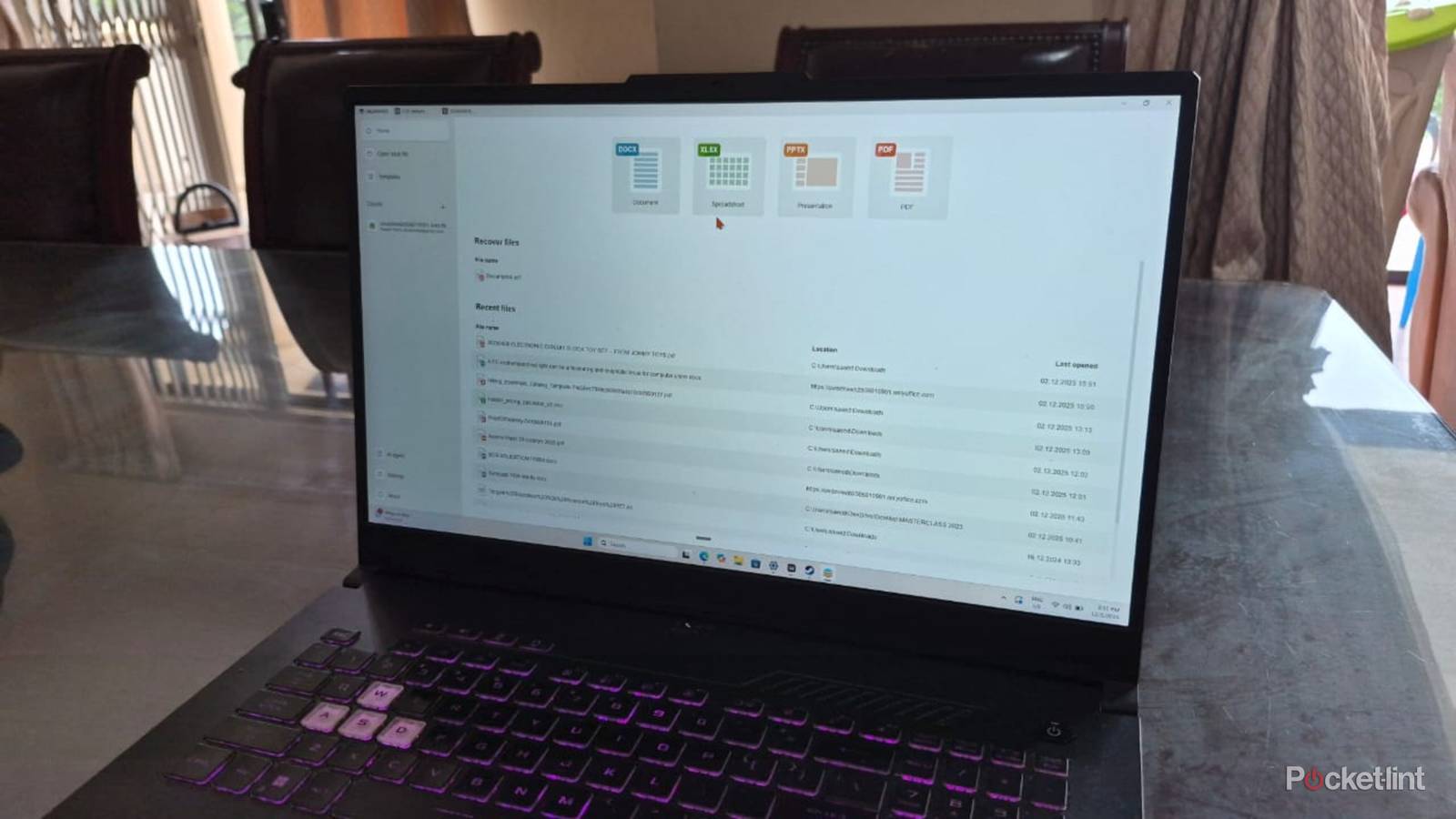
OnlyOffice distinguishes itself by bundling all its functionalities—document editing, spreadsheet management, and presentation creation—under a single interface. This integration simplifies the user experience, allowing individuals to navigate between different file formats as easily as switching between browser tabs. Its three primary components—Document, Spreadsheet, and Presentation—serve as direct parallels to Microsoft’s Word, Excel, and PowerPoint, featuring intuitive layouts that make the transition seamless for existing Microsoft users. Additionally, a straightforward PDF viewer and editor enhance its utility.
One of the significant advantages of OnlyOffice lies in its broad compatibility across various operating systems. Unlike many productivity suites that restrict their usage to specific platforms, OnlyOffice supports a wide range of systems. It functions on the latest Windows 11, as well as older iterations, including XP, Vista, and Windows 7 to 10. Apple users benefit from options compatible with macOS 10.13 and higher, while Linux users can access it on distributions such as Ubuntu. Mobile users are also accommodated, given that OnlyOffice runs on both Android and iOS.
To enhance the multi-platform experience, OnlyOffice offers cloud-based storage solutions that facilitate file access from anywhere. Users can upload documents to services like Nextcloud, Liferay, or Seafile. Many have opted for OnlyOffice’s own DocSpace, which simplifies file synchronization between devices. This feature allows users to import local files from their computers as well as from Google Docs and Sheets, consolidating their work in one location. Collaborative features enable teams to comment and edit files seamlessly, making it an attractive option for project work.
Features and Functionality
While the desktop version of OnlyOffice lacks a built-in AI assistant—a feature that has become increasingly prevalent in modern productivity tools—it compensates with the ability to connect to external AI models. Users can integrate their preferred AI services through API keys, providing flexibility in utilizing existing subscriptions. For example, linking to OpenRouter allows users to choose from various models for tasks such as document summarization or translation. This capability extends to the mobile app as well, enabling similar functionalities on smartphones.
Cost is another compelling factor for users considering OnlyOffice. The software is free to download on compatible platforms, with no registration needed unless cloud features are desired. While most individuals will find the free version sufficient, larger enterprises may explore paid licenses that include advanced options like multi-server deployment and cloud hosting. The platform adheres to stringent data protection regulations, specifically the EU’s General Data Protection Regulation (GDPR), ensuring users’ privacy and security. The open-source nature of the application allows for transparency in data handling, with users retaining the ability to delete their information at will. Additionally, OnlyOffice maintains a Bug Bounty Program, rewarding individuals who discover vulnerabilities in their software.
As the demand for efficient productivity tools continues to grow, OnlyOffice stands out as a viable option for users dissatisfied with traditional offerings. Its integration of multiple functionalities, cross-platform compatibility, and commitment to user privacy present a compelling case for those seeking alternatives to Microsoft 365. With its focus on simplicity and accessibility, OnlyOffice may well redefine how individuals and teams approach their daily productivity needs.
See also Choicely and Netlight Unveil Google Gemini AI: Transform Websites into Native Apps in 2 Minutes