




















































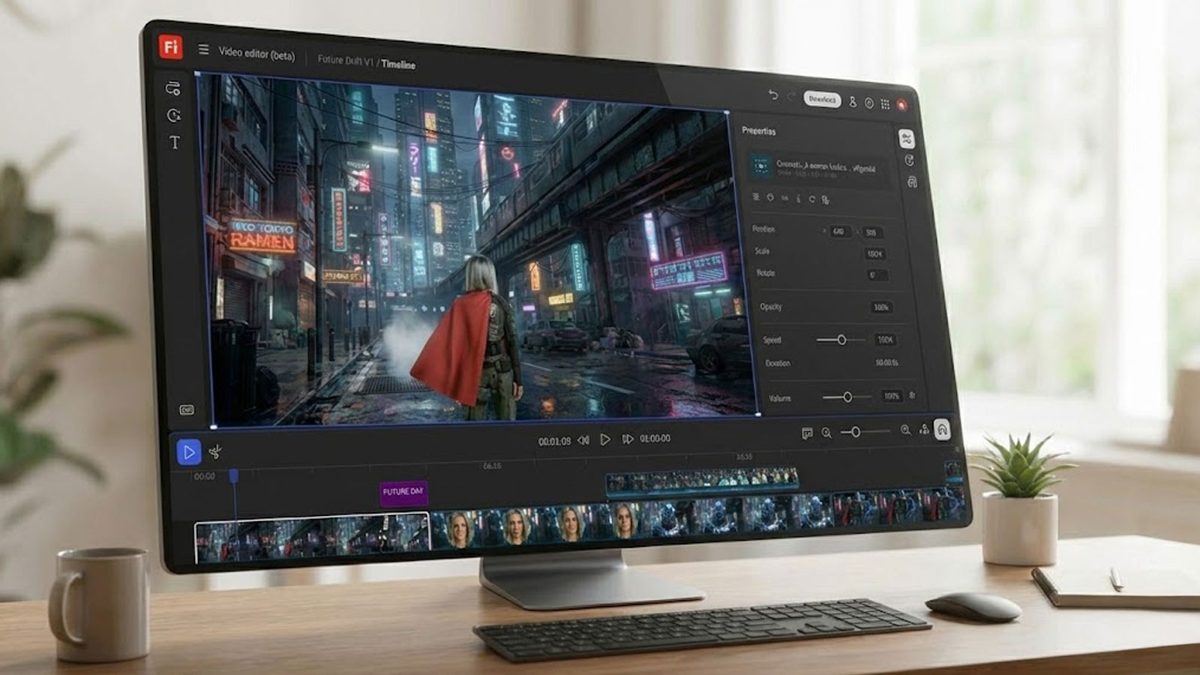
Adobe has expanded its Firefly generative AI suite with the introduction of the Firefly Video Model, which allows users to create motion clips from static images or text prompts. This new feature, unveiled in 2025, comes amid a surge in AI-generated video content across social media platforms. The influx of AI tools available to creators has increased significantly in the past year, making tools like Adobe’s more accessible for professional and amateur users alike.
The Firefly video model is designed for producing commercially safe content, making it ideal for conceptual mockups or B-roll footage. Users can access a free version through the Firefly web interface, which is currently offering unlimited image generations until March 16. However, for the full capabilities of the Firefly Video Model, users will need to subscribe to either the Firefly Pro or Firefly Premium versions.
While Firefly’s platform boasts numerous features, navigating its extensive toolset can be daunting for new users. The Firefly online video editor is not merely about editing tips; it emphasizes leveraging the platform’s standout features for effective video content creation.
The Pro Tools: Making the Most of Adobe Firefly
Firefly serves as a versatile photo and video editor, providing crucial tools for preparing assets for animation. Among its features, the background remover stands out, enabling users to eliminate backgrounds with high precision. This AI-powered tool allows for instant transparency, color adjustments, and object removal through its “Generative Fill” capability, enabling quick edits that enhance visual assets.
Users can also apply various artistic filters, transforming photos into paintings, cartoons, or pixel art. These features are particularly advantageous for creating consistent thumbnails or stylized B-roll. Firefly also offers tools for combining images and text through its generative mood boarding feature, which aids in visual concepting for larger projects. This workspace allows for quick exploration of artistic styles and collaborative visualization, streamlining the creative process.
For those unfamiliar with the interface, Firefly provides a step-by-step guide to utilizing its Image-to-Video feature. Users begin by logging into the web interface, selecting the “Generate” option, and choosing the Image to Video module. This intuitive process allows for the upload of JPEG or PNG files, which can serve as the basis for animation. Users are encouraged to upload primary and secondary images as keyframes to define the beginning and end of the animation.
Once the images are uploaded, users can configure technical parameters such as aspect ratio, resolution, and directional prompts to dictate the motion of the generated video. The platform supports outputs up to 1080p, which caters to various distribution channels. Users can also adjust camera movements and apply style presets to refine the final product.
After saving their configurations, users click “Generate” to create their video. A preview is provided, allowing for additional adjustments before exporting the final MP4 file, which can be downloaded for further use.
You’ve Got a Video: What Now?
After successfully creating a video using Adobe Firefly, users can tap into Adobe’s broader Creative Cloud ecosystem for further enhancements. While Firefly’s core features share similarities with other generative apps, its integration within the Creative Cloud allows for seamless transitions between applications like Premiere Pro and After Effects. This synergy facilitates rapid social media content creation and efficient video editing workflows.
Accessing Firefly involves a tiered subscription model based on “Generative Credits.” Although a limited free version exists, consistent use will require a paid plan. Adobe offers three subscription tiers: Firefly Standard at A$16.49 per month, Firefly Pro at A$32.98 per month, and Firefly Premium at A$329.99 per month, with more advanced features available in the Creative Cloud Pro subscription for A$113.49 monthly.
With ongoing promotions, Adobe encourages users to explore the full potential of Firefly before the unlimited generations offer expires on March 16. As generative AI continues to evolve, tools like Adobe Firefly are poised to play a significant role in the future of content creation, providing users with powerful means to translate creativity into compelling visual narratives.
See also Sam Altman Praises ChatGPT for Improved Em Dash Handling
 AI Country Song Fails to Top Billboard Chart Amid Viral Buzz
 GPT-5.1 and Claude 4.5 Sonnet Personality Showdown: A Comprehensive Test
 Rethink Your Presentations with OnlyOffice: A Free PowerPoint Alternative
 OpenAI Enhances ChatGPT with Em-Dash Personalization Feature